The Journey Continues - What To Watch
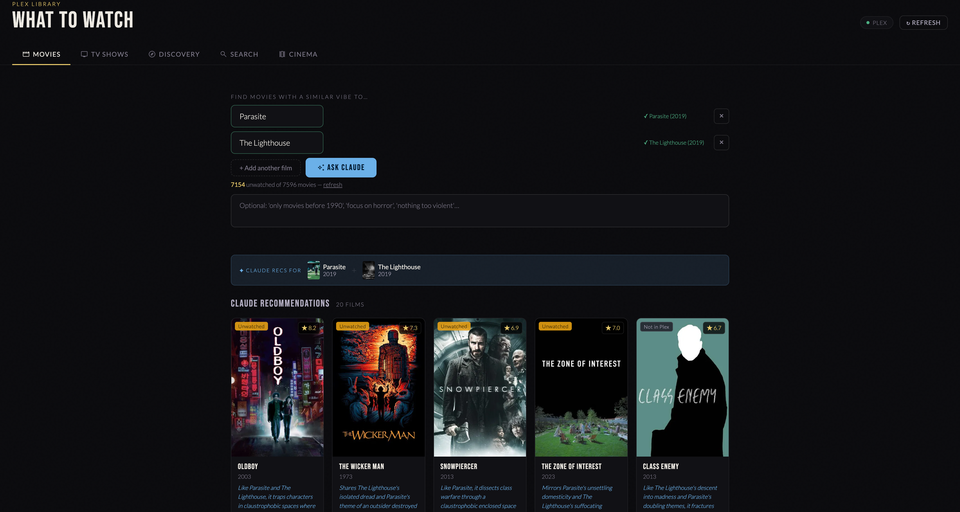
With my first piece of vibecoding solidly under my belt, my brain began to spin. There are so many things I could achieve with this newfound knowledge. I could change the way we run our business and make things easier for us. Countless spreadsheets that need to be updated could be integrated into one solid place.
Instead, I once again turned to the movies.
A friend of mine had recently posed a question to our group chat.
"Why the hell isn't there a decent app where you can put in like 3 movies and get recommendations on what hits that vibe?"
And they were right. There didn't seem to be anything like that at all. Until now.
Everyone I've shown my builds to has said the same thing. "I would't even know how to start, or what kind of prompt". Let me tell you that while I've learnt a lot, and my new prompts would have a lot more details about what RUN commands cannot be used on my synology, kernel restraints, details of the app itself, etc - my first few prompts were absolutely abysmal looking back. Here it is, directly copy and pasted, the prompt that spawned one of my crowning achievements.
"Ok, let's try to build a Plex "what to watch" recommender that knows your history, as a simple web app. What would be ideal is if I could input a movie I've watched recently that I liked the style of, and have it return maybe 10 or so movies similar to that movie, that are in my library and are unwatched"
This prompt spawned one of my longest Claude AI chat threads, and over the course about 3 hours we had done it. I hadn't even clicked yet that we could create docker apps, so we spent about an hour trying to make it work standalone before I said "I have docker on my NAS, could it run in that?"
The app would allow you to put in up to 5 "seed" movies that would be sent in a prompt to the Claude API (at first I was using gemini because it's free, but the Claude API ends up at about 0.02c per prompt, so worth it for the better result). The Claude API would return a json with a list of 20 movies that it believes are similar, as well as the TMDB ID for each movie, and it's reasoning for why it fits the bill. The app then matches with TMDB to scrape the poster and details, compares against my plex server to see if I have it already, and if i do whether it's watched.
But here is where the magic really comes in.
"You know what would be cool?" I typed. "What if I could hit 'Play', and it would start playing in my theatre. I can give you the home assistant entity_id's for my apple tv and plex?"
So now, that's what it does. And if I don't already have a movie or TV show, an 'Add to Radarr/Sonarr' button is displayed instead of play.
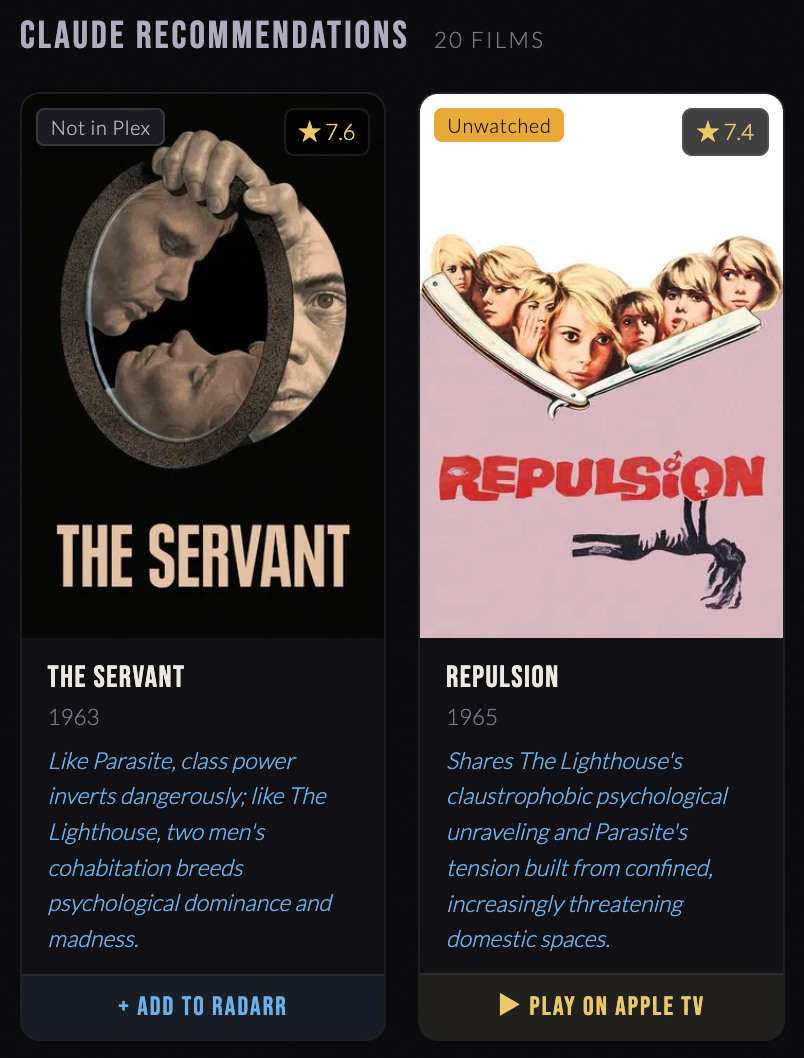
From there it was just fun and tweaking. Again, all in simple English, and all within the Claude desktop app (I hadn't even discovered Claude code yet).
"Let's make sure it has a good mobile UI."
"The mobile UI looks good but when I go to type text it does a weird zoom in thing."
"Let's add a tab where I can search for generic topics instead of needing seed movies."
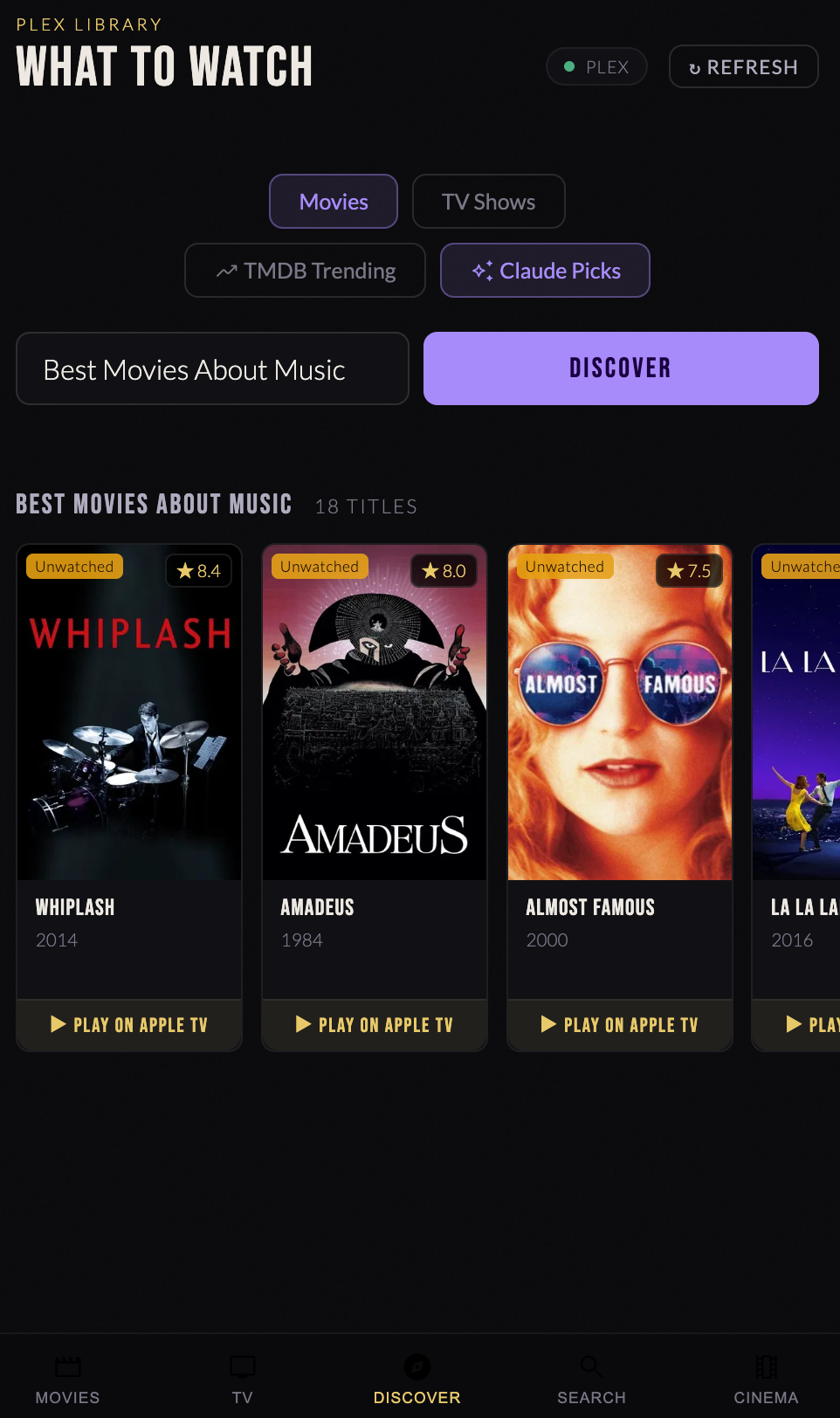
"You know what, since it now has Radarr and Sonarr integration, let's add a tab where I can search for something directly and add it, give me one clean interface for requests instead of needing to run overseer or ombi."
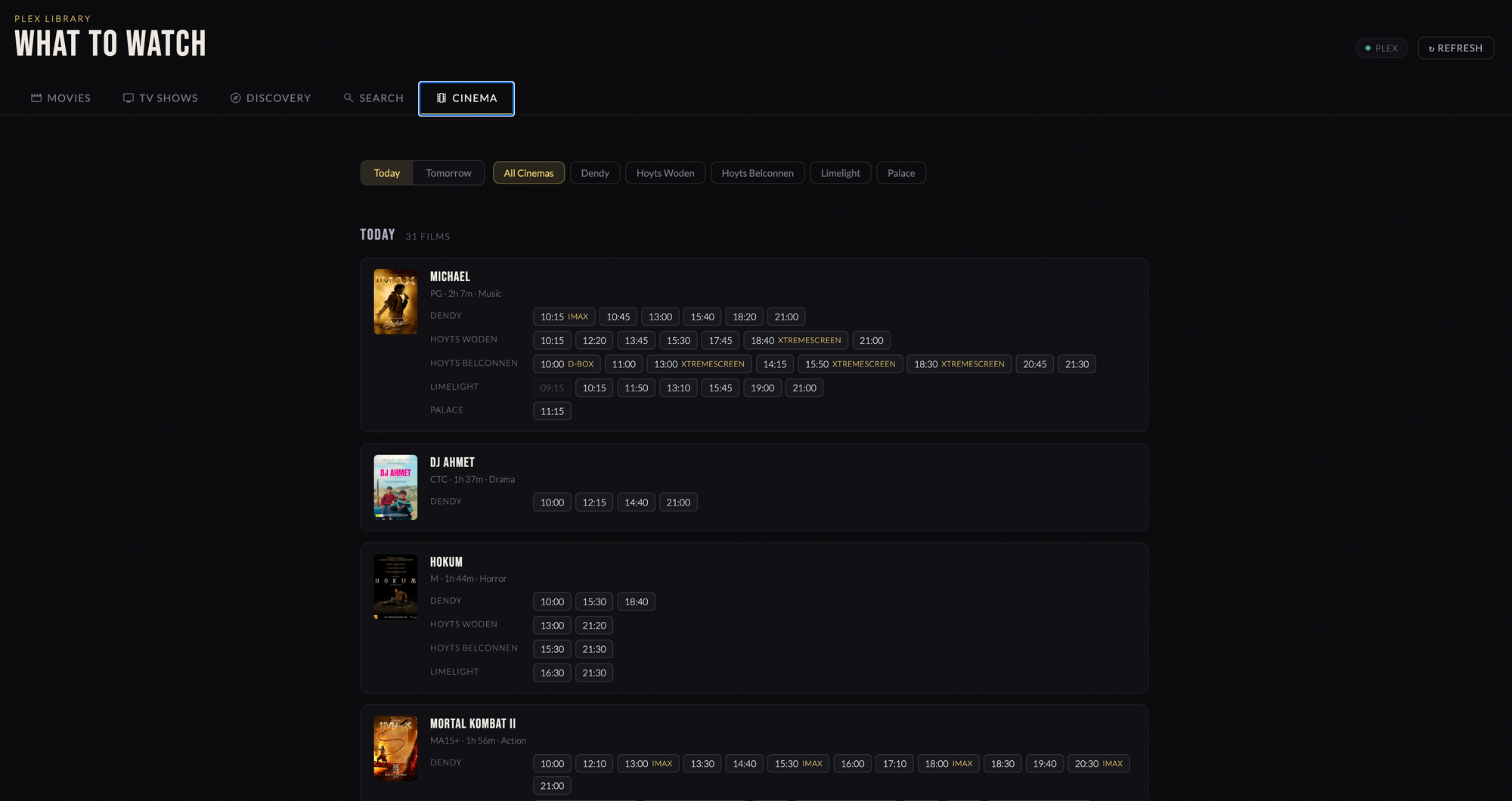
And then, when it was all done, just for fun, I added a Cinema tab to show the cinema showtimes pulled from the Home Assistant sensors we'd built.
And it all started, with a prompt that was barely a prompt.
I've learned a lot since this first build, which I'll dig into in future weeks. I now start my prompts with a much better idea of what I actually want, including more technical instructions from the beginning. Sometimes I'll even do a planning chat with Claude first, then ask it to write a prompt for me to give to another Claude. That's the one thing I still find weird is the lack of memory. Every time you chat to Claude it has no memory of what came before it, unless you specifically tell it to remember, and even then it won't always.
So, there it is. Now you too know how easy it can be to create something truly unique. What I've learned is that the key to this is to really just build for yourself. Don't try "vibecode" your way to the app store. But if you're doing this to make your own life a little easier, or a little more interesting - well, there is a lot you can get out of it.